%20scale(0.59282)'%3e%3cpath%20d='M57.4%2019%20C57.44%2019.6%2057.44%2020.2%2057.44%2020.8%20C57.44%2038.1%2044.2%2058%2020.1%2058%20C12.7%2058%205.8%2055.9%200%2052.1%20C1.1%2052.24%202.1%2052.3%203.2%2052.3%20C9.3%2052.3%2015%2050.2%2019.5%2046.7%20C11.9%2046.4%205.6%2041.1%203.6%2034%20C6.7%2034.7%209.9%2034.6%2013%2033.7%20C6.1%2030.4%201.8%2023.2%202.6%2015.6%20C2.9%2012.9%203.7%2010.5%205%208.4%20C11.5%2016.4%2021.2%2021.6%2032.1%2022.2%20C31.9%2021.2%2031.8%2020.2%2031.8%2019.2%20C31.8%2011.9%2037.7%206.05%2044.9%206.05%20C48.7%206.05%2052.1%207.6%2054.5%2010.2%20C57.9%209.5%2061.2%208.2%2064.1%206.5%20C63.2%2011.9%2060.6%2015.9%2057.4%2019%20Z'%20fill='%2345AEF5'%20/%3e%3cpath%20d='M33%2012.6%20H58%20A3%203%200%200%201%2061%2015.6%20V19.8%20C61%2024.2%2057.3%2027.8%2052.9%2027.8%20C49%2027.8%2045.8%2025%2045.1%2021.2%20C44.4%2025%2041.2%2027.8%2037.3%2027.8%20C32.9%2027.8%2030%2024.2%2030%2019.8%20V15.6%20A3%203%200%200%201%2033%2012.6%20Z'%20fill='%232B4356'%20/%3e%3c/g%3e%3c/svg%3e)
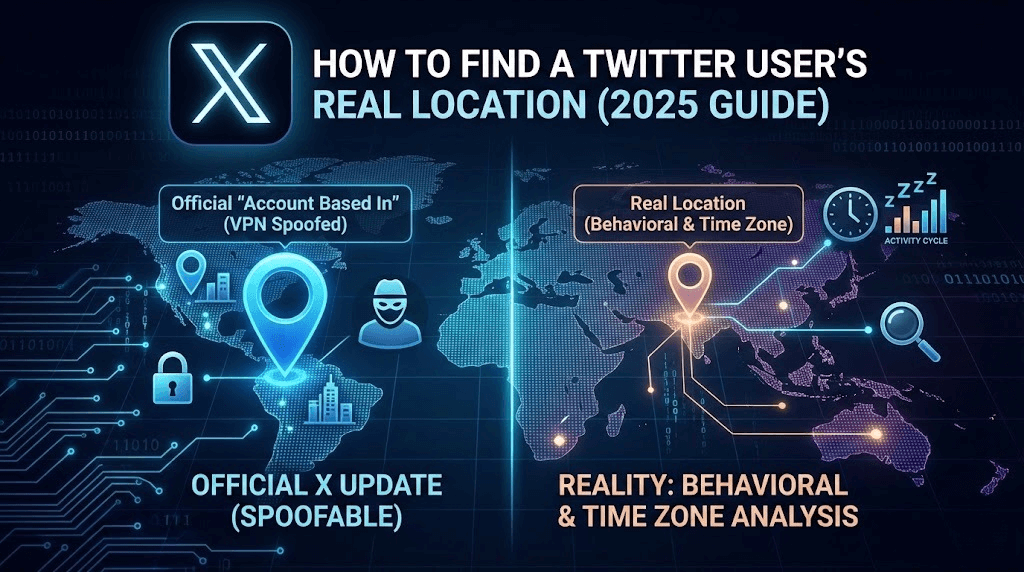
How to Find a Twitter User's Real Location: Official X Updates vs. Reality (2025 Guide)
In the era of digital misinformation, knowing who is behind a Twitter (now X) account—and where they are physically located—is critical. Whether you are verifying breaking news, vetting a potential hire, or simply checking if a "local" account is a bot farm in disguise.
For years, users had to rely on guesswork. However, X has recently introduced new transparency features to help identifying account origins. But are they enough?
In this guide, we will break down X's latest location update, why it often fails, and how you can use advanced tools to uncover the truth.
The New X Update: "Account Based In"
If you've dug into Twitter's settings recently, you might have noticed a significant change. In an effort to combat foreign interference and bot networks, X rolled out the "Account info" transparency feature.
For many accounts (especially verified organizations or those flagged for review), you can now see a field labeled "Account Based In".
How to access it:
- Go to a user's profile page.
- Click the "More" (three dots) icon.
- Select "About this account."
- Look for the "Account Based In" field (usually displaying a country name).
This data is derived from the user's IP address and phone number verification. It is a massive step forward from the old days where the "Location" field in the bio was purely cosmetic and easily faked.
Why the Official Update Isn't Enough
While the "Account Based In" feature is useful, it has two major flaws that make it unreliable for serious investigation:
- VPN Spoofing: The official location is largely based on IP addresses. If a user in Europe turns on a VPN set to New York, X will likely report their account is based in the USA.
- Privacy Restrictions: This data is not available for every account. Many private users or non-verified accounts will not show this field at all.
This leads to the question: When the official data is hidden or faked, how do you find the truth?
The Solution: Behavioral Location Analysis (Time Zones)
The only thing harder to fake than an IP address is human behavior. No matter where someone claims to be, they are biologically wired to sleep at night and be active during the day.
By analyzing the specific timestamps of a user's tweets and replies, you can map out their "Active Hours" and calculate their probable time zone.
The Old Way (Manual Calculation)
You could do this manually:
- Open a spreadsheet.
- Log the timestamps of the user's last 50 replies (replies are more accurate than scheduled posts).
- Convert all times to UTC.
- Find the 6-8 hour gap where they stop tweeting (their sleep window).
- Cross-reference that gap with a world time zone map.
If that sounds like a lot of work, that's because it is.
The Smart Way (Using Twitter Location Checker)
Instead of doing the math yourself, you can use our specialized tool to automate this process instantly.
The Twitter Location Checker algorithms analyze a user's historical activity patterns to generate a "Probable Location" report. It ignores VPNs and focuses on when the human behind the screen is actually awake.
- Step 1: Enter the Twitter handle.
- Step 2: Let the tool scan recent activity.
- Step 3: Get a calculated prediction of their real time zone, regardless of what their bio says.
This is the most reliable way to verify if that "California" user is actually posting from a completely different continent.
Validating with Visual Context
Once you have a suspicion about their location based on time zones, you need to verify it with visual evidence. Look for:
- Power outlets: Are they US, UK, or EU standard?
- Weather: Does the weather in their photos match the weather reports for that day?
- Signage: Are street signs in the local language?
To see these details clearly, you often need to view the full-resolution images, which X sometimes compresses or hides behind login walls. You can use our Twitter Viewer to anonymously browse and inspect high-quality media from any public profile without needing to log in or alert the user.
Conclusion
Twitter's new "Account Based In" update is a great first step for transparency, but it's not foolproof. Smart users can easily mask their digital footprint with VPNs.
To truly verify a user's location in 2025, you need to look at behavior, not just data. By combining official info with behavioral analysis tools like the Twitter Location Checker, you can see through the disguise and find out where an account is really coming from.